
What “running inference locally” means
Running inference locally means executing a pre-trained AI model directly on your own machine to generate outputs (text, code, embeddings) without sending data to the cloud.
You are not training a model. You are loading weights + running forward passes using a local runtime.
Think of it as:
“Using an AI model like a local binary, not a hosted service.”
Why host locally
Local inference gives you control about different aspects.
Key benefits
- Zero marginal cost No per-token billing, no monthly hosting fees.
- Fast iteration loop Change prompts, parameters, or models instantly.
- Privacy by default Data stays on-device; export only if and when needed.
- Foundational learning You understand the runtime stack before scaling to cloud or APIs.
- Offline capability Useful for travel, restricted networks, or sensitive environments.
When it’s the right choice
- Learning how LLMs actually run
- Prompt engineering & evaluation
- Small RAG experiments
- Prototyping workflows before cloud deployment
When not to run locally
Naturally, when running LLMs locally you are limited by the hardware you own. So you should check your specs before choosing your model
Be explicit about limitations to avoid frustration:
- Avoid Large models (30B+)
- Avoid Image / video generation on consumer CPUs
Local inference is a lab, not a factory.
Requirements & Setup
Before running anything, validate this checklist:
- Model size fits hardware
- CPU, RAM, and disk constraints are non-negotiable.
- Runtime installed
- Version, quantization, checksum.
- Health check passes
- The model loads and responds.
- Latency measured
- First-token time and tokens/sec captured.
If step 5 fails → downgrade model size or context.
Quantization
Quantization is a technique that reduces the size of an AI model by storing its weights with lower numerical precision. This makes the model use less memory and run faster, especially on CPUs, at the cost of a small reduction in accuracy. Quantization is essential for running models locally on consumer hardware, as it allows large models to fit into memory and perform inference efficiently.
Runtimes
A runtime is the software that runs an AI model on your machine. It loads the model, performs the required computations, manages hardware resources (CPU or GPU), and returns the generated output. The same model can feel fast or slow depending on the runtime, because the runtime controls performance, memory usage, and hardware compatibility.
Model selection
- 3B–7B parameter models
- 4-bit quantization (Q4)
- GGUF format (for llama.cpp ecosystem)
Why this works:
- Fits in 16 GB RAM
- Acceptable latency on CPUs
- Still useful for reasoning and coding tasks
What to observe
- Time to first token
- Tokens per second
- Memory usage
- Thermal throttling if the computer gets too hot
If it responds coherently → you’re done.
Hands-on Experiment
In my case I went for llama.cpp (Github) as I just have an Intel-based Mac with only 16 GB, which is not powerful enough to run big models.
llama.cpp
- C++ runtime
- CPU-first, minimal overhead
- Best choice for Intel Macs and older hardware
- Maximum control, minimum magic
Minimal “it works” setup (llama.cpp)
This is the hello world of local inference.
Install:
brew install llama.cppThen start the runtime + UI by targeting a 4-bit quantized model from Hugging Face:
llama-server -hf ggml-org/Qwen3-4B-GGUF:Q4_K_M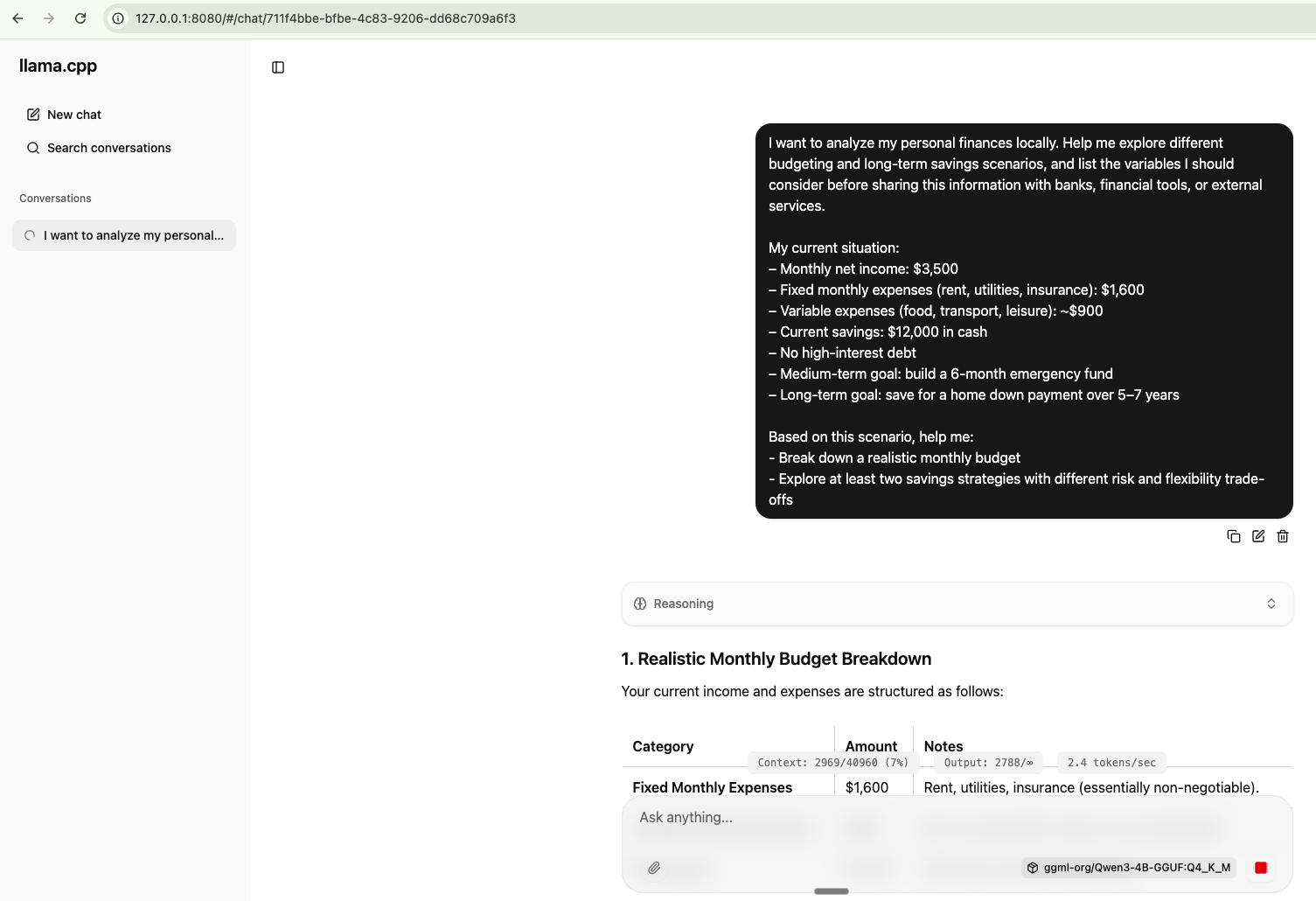
Prompt Example
I want to analyze my personal finances locally. Help me explore different budgeting and long-term savings scenarios, and list the variables I should consider before sharing this information with banks, financial tools, or external services.

My current situation:
– Monthly net income: $3,500
– Fixed monthly expenses (rent, utilities, insurance): $1,600
– Variable expenses (food, transport, leisure): ~$900
– Current savings: $12,000 in cash
– No high-interest debt
– Medium-term goal: build a 6-month emergency fund
– Long-term goal: save for a home down payment over 5–7 years

Based on this scenario, help me:
- Break down a realistic monthly budget
- Explore at least two savings strategies with different risk and flexibility trade-offs
Conversations can be exported in JSON format.
For more technical users, it's also possible to run the prompts directly from the CLI:
llama-cli -hf ggml-org/Qwen3-4B-GGUF:Q4_K_M